
QR Code
- Launch your banking app
- Scan the following QR codes using your banking app


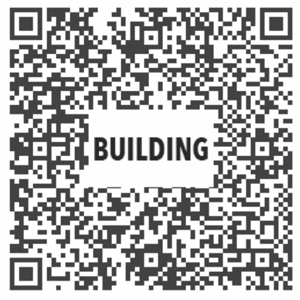
- Log in and key in amount to give
- Proceed to confirm account and amount
Online Banking (DBS/POSB only)
Log in to DBS/POSB Internet Banking > Pay > Pay Bills
Select one of the following options
- TRINITY CHR CTR - TITHE/OFFERING
- TRINITY CHR CTR - MISSIONS FUND
- TRINITY CHR CTR - BUILDING FUND
Enter amount and date to payment to proceed
AXS Stations
Tap Community > Trinity
Select account and key in the amount to proceed
Cash/Cheque
Make checks payable to “Trinity Christian Centre”
Set aside your offering in an envelope
Drop envelope into the offering bag during service
Bank Info
Top Description
Giving via PayNow: ● Hold the bar to copy UEN code. ● Log in to your bank app and paste UEN code. ● Enter amount and complete giving.
Page type
Giving
Top Page Description
PayNow to UEN
- Hold the bar to copy the relevant UEN No.
- Log in to your banking app and select PayNow icon
- Select PayNow to UEN and paste UEN No.
- Key in the amount to give
- Proceed to confirm account and amount